


Page 86 - Computing book 6
P. 86
EDScratch                                                                            Class 6


               Sensing

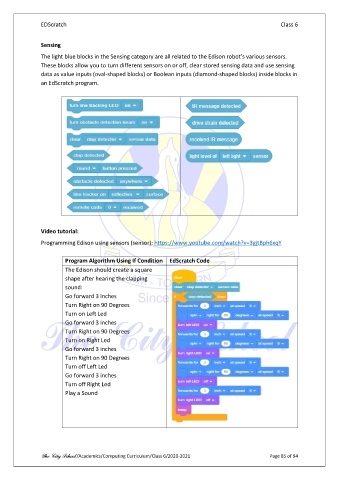
               The light blue blocks in the Sensing category are all related to the Edison robot’s various sensors.
               These blocks allow you to turn different sensors on or off, clear stored sensing data and use sensing
               data as value inputs (oval-shaped blocks) or Boolean inputs (diamond-shaped blocks) inside blocks in
               an EdScratch program.


               Video tutorial:

               Programming Edison using sensors (sensor): https://www.youtube.com/watch?v=3gjtBph6xqY

                        Program Algorithm Using If Condition  EdScratch Code
                        The Edison should create a square
                        shape after hearing the clapping
                        sound:
                        Go forward 3 Inches
                        Turn Right on 90 Degrees
                        Turn on Left Led
                        Go forward 3 inches
                        Turn Right on 90 Degrees
                        Turn on Right Led
                        Go forward 3 inches
                        Turn Right on 90 Degrees
                        Turn off Left Led
                        Go forward 3 inches
                        Turn off Right Led
                        Play a Sound


               The City School /Academics/Computing Curriculum/Class 6/2020-2021                Page 85 of 94

