


Page 24 - HAAS-CNC-Guide-New
P. 24
UNLOCK ALL YOUR HAAS MACHINE’S POTENTIAL


                                                                                                                               VISUAL PROGRAMMING SYSTEM


                                                                                                                               The Haas Visual Programming System lets you quickly
                                                                                                                               create G-code programs for basic part features using


                                                                                                                               graphical templates and a form-like interface. Simply
                                                                                                                               define the feature in the template, and VPS then outputs


                                                                                                                               working G-code at the touch of a button. VPS also includes
                                                                                                                               a custom template generator, so you can create templates


                                                                                                                               for your own part features or frequently used programs.


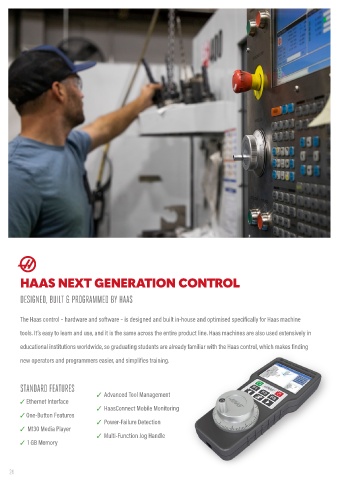
        HAAS NEXT GENERATION CONTROL                                                                                           M130 MEDIA DISPLAY


        DESIGNED, BUILT & PROGRAMMED BY HAAS                                                                                   CNC MACHINING IS COMPLEX. YOUR CONTROL SHOULDN’T BE.


        The Haas control – hardware and software – is designed and built in-house and optimised specifically for Haas machine   The Haas M130 Media Display M-Code is a powerful tool for communicating with operators and programmers directly

        tools. It’s easy to learn and use, and it is the same across the entire product line. Haas machines are also used extensively in   from the Haas control as a program runs. Use M130 to call up setup instructions, tool lists, CAD images, manufacturing

        educational institutions worldwide, so graduating students are already familiar with the Haas control, which makes finding   information, and more. When the program reaches an M130, the specified media (image, video, or PDF) will be displayed in

        new operators and programmers easier, and simplifies training.                                                         the upper right corner of  the control screen.


        STANDARD FEATURES                                                                                                      ON-SCREEN COMMUNICATION
                                   ✓  Advanced Tool Management

        ✓ Ethernet Interface                                                                                                   ✓  Easily explain secondary operations on the control

                                   ✓  HaasConnect Mobile Monitoring

        ✓ One-Button Features                                                                                                  ✓  Avoid miscommunications with your colleagues

                                   ✓  Power-Failure Detection

        ✓  M130 Media Player                                                                                                   ✓  Describe step-by-step part inspection processes


                                   ✓  Multi-Function Jog Handle

        ✓  1 GB Memory                                                                                                         ✓ Share important setup information with colleagues

    24                                                                                                                                                                                                                www.haas.co.uk  ☎ 01603 760539 25

