


Page 7 - BoAML Plan Handbook 17 V2.0
P. 7
Managing your retirement


 planning online


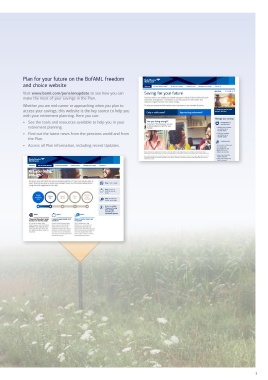
 Manage your savings on the Plan   Already registered?  Plan for your future on the BofAML freedom
 administration website  Logging on from your employer's network? Use Simplified   and choice website
 Reviewing your savings online will give you much greater   Sign On (SSO).  Visit www.baml.com/pensionupdate to see how you can
 control and flexibility over your retirement planning.  •  Use the links on HR Connect > Benefits > Financial >   make the most of your savings in the Plan.

 You can:  Bank of America Merrill Lynch UK Pension Plan (or   Whether you are mid-career or approaching when you plan to
 on HR Interchange > HR & Benefits > Your Benefits,   access your savings, this website is the key source to help you
 •  See the current balance of your Member Account.  Discounts and Pensions if you are an MBNA employee).  with your retirement planning. Here you can:
 •  If you are an employee member, view your    •  Your Standard ID number and password will identify you –    •  See the tools and resources available to help you in your
 contribution choices.  you will not have to input any additional security details.  retirement planning.
 •  Use the Pension Planner to see your estimated    Logging on from outside your employer's network?  •  Find out the latest news from the pensions world and from
 annuity (regular income in retirement).
 •  Go to www.hartlinkonline.co.uk/boaml.  the Plan.
 •  Get up-to-date information on your investments,    •  Access all Plan information, including recent Updates.
 including unit prices and your transaction history.  •  Use your Username, Password and PIN number.
 •  Make changes to your investment choices.  Not yet registered?
 •  Update your Expression of Wish details.  •  Use the links on HR Connect > Benefits > Financial >
 Bank of America Merrill Lynch UK Pension Plan
 (or on HR Interchange > HR & Benefits > Your
 Benefits, Discounts and Pensions if you are an MBNA
 employee) or go to www.hartlinkonline.co.uk/boaml.
 •  Complete the short registration process.
 •  Keep a note of the Username (which must be different to
 your Standard ID number) and Password. Your PIN number
 will be emailed to you.
 •  The next time you log on, you will need the details above
 if you are outside of your employer's network. From within
 your employer's network, SSO will be able to identify you
 without any further security details (see above).


 If you forget your login details after you register and
 need to log on from outside your employer's network,
 use the online reminder options. Alternatively, you can
 contact the Plan Administrators (see page 36).


 6                                                                                                                7

