


Page 67 - Product Catalogue_v2.0
P. 67
• Train Security Personnel
             Faster                RAPISCAN THREAT IMAGE PROJECTION
           • Create Informative
             Management Reports
           • Measure Checkpoint
             Performance
           • Continually Improve
             Security Operations


                                             HIT                      MISS
           R A PI S CA N
          THREAT IMAGE PROJECTION


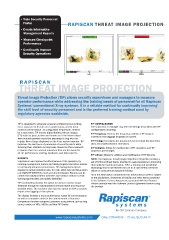
          Threat Image Projection (TIP) allows security supervisors and managers to measure
          operator performance while addressing the training needs of personnel for all Rapiscan
          Systems’ conventional X-ray systems. It is a reliable method for continually improving
          the skill level of security personnel and is the preferred training method used by
          regulatory agencies worldwide.


          TIP is designed to advance screener proficiency by providing   TIP CONFIGURATION
          more exposure to threats on a regular basis, and to track   The supervisor or manager may alter all settings associated with TIP
          screener performance. At configurable frequencies defined   configurations including:
          by a supervisor, TIP inserts digital fictional threat images   TIP Frequency: Defines the frequency at which a TIP image is
          (FTI) such as guns, knives and bombs as if the threat object   inserted in the baggage displayed on screen.
          were actually packed inside the passenger’s bag into the
          regular flow of bags displayed on the X-ray system monitor. TIP   TIP Timing: Determines the parameters for the Initial Decision Time
          improves the alertness of personnel at security points while   (IDT), Secondary Decision Time (SDT).
          focusing their attention on key tasks. Based on the screener’s   TIP Category: Allows for modification of FTI categories and TIP
          response there are several outcomes that are the basis for   projection percentages.
          all TIP performance scoring, feedback, and data reports.
                                              TIP Library: Allows for addition and modification of TIP libraries.
          REPORTS                             NOTE: The Rapiscan Threat Image Projection (TIP) option provides a
          Supervisors can improve the effectiveness of the operators by   set of fictional threat items, intented to assist operators in improving
          creating management reports and taking targeted corrective actions   their skills for system operation.  TIP is a training and monitoring
          to continually enhance performance. TIP management reports   technology and is not intended for use as a sole method of threat
          display the actual detection rate, HIT rate, MISS rate and false alarm   object or concealment detection training.
          rate (NON-TIP EVENT) for each security checkpoint. Reports can be
          created for individual team members and various stations so that   All of the information contained in this informational sheet is subject
          training opportunities are quickly identified.   to the disclaimers, limitations of liability and other terms contained
                                              in the Software License Agreement associated with this Product.
          TIP functionality provides the option for users to receive visual   Please carefully read the Software License Agreement before using
          feedback through an individualized summary report and response   the product.
          decision times. The screener also has the option to view a session
          report after logging off the system.
          The display includes a mean performance report for current session
          as well as cumulative data for the current month. A Screener
          Comparison function compares screeners using criteria such as bag
          count, number of HITs, MISSs and Non-TIP Events.
                                                          An OSI Systems Company
                             www.rapiscansystems.com  ONE COMPANY - TOTAL SECURITY

