


Page 73 - Product Catalogue_v2.0
P. 73
• Manual and                   RAPISCAN IMAGE ARCHIVING
             Automatic Archive
           • Easy Retrieve and
             Review


           R A PI S CA N                Select Image to Archive    Export to Archive
          IMAGE ARCHIVING


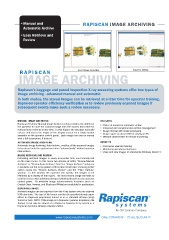
          Rapiscan’s baggage and parcel inspection X-ray screening systems offer two types of
          image archiving - advanced manual and automatic.
          In both modes, the stored images can be retrieved at a later time for operator training,
          improved operator efficiency verification or to review previously scanned images if
          subsequent events make such a review necessary.


          MANUAL IMAGE ARCHIVING                   FEATURES
          Rapiscan Systems’ Manual Image Archive feature provides the ability for   •  Choice of manual or automatic archive
          the operator to store the scanned image onto the system hard drive for   •  Enhanced and comprehensive archive management
          retrieval and review at a later time.  In this feature the operator manually   •  Image retrieval with image processing
          selects and stores the image on the display screen via a single button   •  Image export via direct USB for viewing on PC
          available on the operator control panel.  Each image then can be named   •  Network shared folder for remote monitoring
          with a full description, if desired.
          AUTOMATIC IMAGE ARCHIVING                BENEFITS
          Automatic Image Archiving, Auto-Archive, enables all the scanned images   •  Continuous operator training
          to be stored onto the system hard drive “automatically” without operator   •  Monitoring operator performance
          intervention.                            •  Share and view images on standalone Windows based PC
          IMAGE RETRIEVE AND REVIEW
          Retrieving archived images is easily accessible from user friendly GUI
          on the main menu.  In this menu two choices of either “Review Manual
          Archives” or “Review Auto Archives” from the “Image Archives” submenu
          is available via the X-ray system control panel touch pad. Choosing either
          option opens the “Review Archives Viewer” and the “Filter Options”
          window.  In this window the operator can specify the images to be
          retrieved by a variety of filter types. The most recent image will start to
          scroll on screen with additional images following through on the operator
          control panel.  All available image enhancements functions (such as
          Crystal Clear, Inverse, and Black and White) are available for application.
          EXPORTING IMAGE
          Archived images can be exported from the X-ray system onto an external
          USB type drive.  The type of file format can also be specified during export
          either as Rapiscan proprietary format or as a standard bitmap (.bmp)
          format or both. NOTE: If the image is in Rapiscan Systems proprietary file
          format, it can only be viewed on a Rapiscan Systems X-ray system or a
          Rapiscan Systems Network Display Station.
                                                          An OSI Systems Company
                             www.rapiscansystems.com  ONE COMPANY - TOTAL SECURITY

