


Page 19 - nota text
P. 19
NO. KOD                 J582-001-3:2019-CO1 /P (2/5)        Muka Surat: 18 / 21


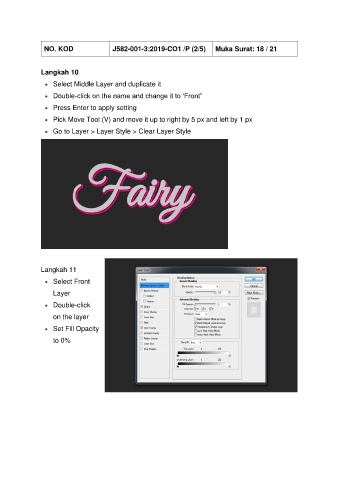
               Langkah 10

                 •  Select Middle Layer and duplicate it
                 •  Double-click on the name and change it to ‘Front”

                 •  Press Enter to apply setting
                 •  Pick Move Tool (V) and move it up to right by 5 px and left by 1 px

                 •  Go to Layer > Layer Style > Clear Layer Style


               Langkah 11

                 •  Select Front
                    Layer

                 •  Double-click

                    on the layer
                 •  Set Fill Opacity

                    to 0%

