


Page 3 - Trainer Guide to the Learning Hub - OnBoard
P. 3
P ag e  | 3


          Logging In
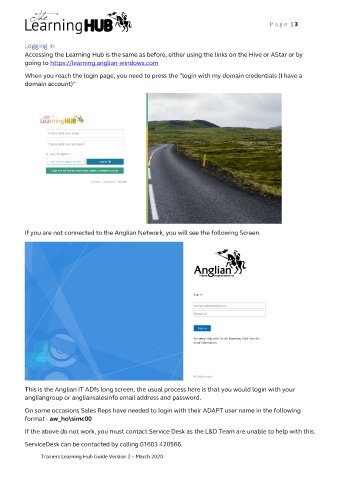
          Accessing the Learning Hub is the same as before, either using the links on the Hive or AStar or by
          going to https://learning.anglian-windows.com

          When you reach the login page, you need to press the “login with my domain credentials (I have a
          domain account)”


          If you are not connected to the Anglian Network, you will see the following Screen.


          This is the Anglian IT ADfs long screen, the usual process here is that you would login with your
          angliangroup or angliansalesinfo email address and password.

          On some occasions Sales Reps have needed to login with their ADAPT user name in the following
          format - aw_ho\simc00

          If the above do not work, you must contact Service Desk as the L&D Team are unable to help with this.
          ServiceDesk can be contacted by calling 01603 420566.

               Trainers Learning Hub Guide Version 2 – March 2020

