


Page 116 - TCS ICT Book 8
P. 116
The City School  2021-2022


                  TimeElapsed=StopTime-StartTime
                  dis=(TimeElasped/2)*34300

             return dis

             while True:
               D=distance()
               D=int(D)

               print(“Measured distance= ”, D, “cm”)

               t.sleep(0.5)


             In this program we are determining distance by using a Sonar Sensor. This explains the

             application of sensors and they talk to the real world. We have created the function by
             the name of Distance. This function will control voltages to trigger pin which will cause

             Sonar Sensor to transmit the ultrasonic sound wave, which is inaudible to human ear,
             for 0.0001 seconds. The transmitted wave will bounce back when it hits the object and

             will be received by the echo pin. We have included two libraries in this code as well.
             First is the RPi.GPIO and second is the time library. Distance is the product of Speed

             into time.


             5.13. Interfacing with Servo Motor


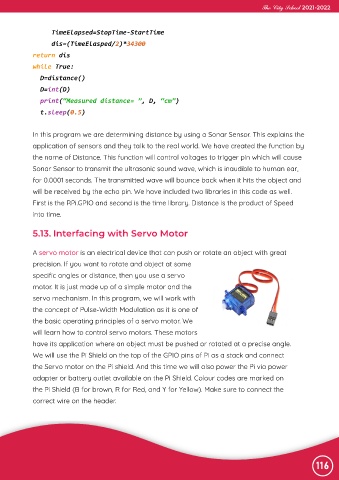
             A servo motor is an electrical device that can push or rotate an object with great

             precision. If you want to rotate and object at some
             specific angles or distance, then you use a servo

             motor. It is just made up of a simple motor and the
             servo mechanism. In this program, we will work with

             the concept of Pulse-Width Modulation as it is one of
             the basic operating principles of a servo motor. We

             will learn how to control servo motors. These motors
             have its application where an object must be pushed or rotated at a precise angle.

             We will use the Pi Shield on the top of the GPIO pins of Pi as a stack and connect
             the Servo motor on the Pi shield. And this time we will also power the Pi via power

             adapter or battery outlet available on the Pi Shield. Colour codes are marked on
             the Pi Shield (B for brown, R for Red, and Y for Yellow). Make sure to connect the

             correct wire on the header.


                                                                                                                116

