


Page 113 - TCS ICT Book 6
P. 113
The City School  2021-2022


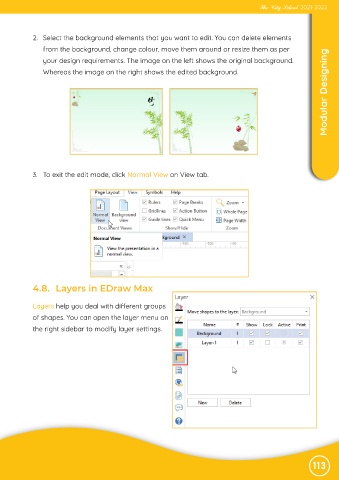
             2.  Select the background elements that you want to edit. You can delete elements

                from the background, change colour, move them around or resize them as per
                                                                                                                    Modular Designing
                your design requirements. The image on the left shows the original background.

                Whereas the image on the right shows the edited background.


             3.  To exit the edit mode, click Normal View on View tab.


             4.8.  Layers in EDraw Max


             Layers help you deal with different groups
             of shapes. You can open the layer menu on

             the right sidebar to modify layer settings.


                                                                                                               113

