


Page 62 - TCS ICT Book 7
P. 62
The City School  2021-2022


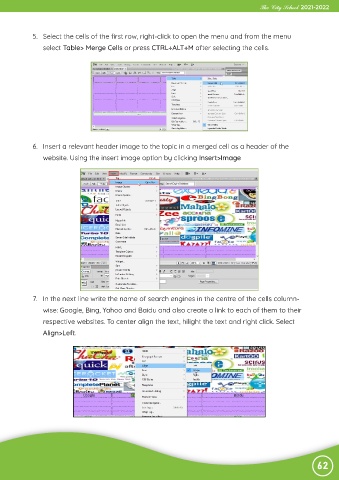
             5.  Select the cells of the first row, right-click to open the menu and from the menu
                select Table> Merge Cells or press CTRL+ALT+M after selecting the cells.


             6.  Insert a relevant header image to the topic in a merged cell as a header of the
                website. Using the insert image option by clicking Insert>Image


             7.  In the next line write the name of search engines in the centre of the cells column-

                wise: Google, Bing, Yahoo and Baidu and also create a link to each of them to their
                respective websites. To center align the text, hilight the text and right click. Select

                Align>Left.


                                                                                                                62

