


Page 103 - Learn To Use HTML and CSS
P. 103
So You Want to Learn to Use HTML and CSS – Version 2020-06-12a                        Page 93
               Chapter 9 – The CSS Grid

                     105
               rows.
             Free
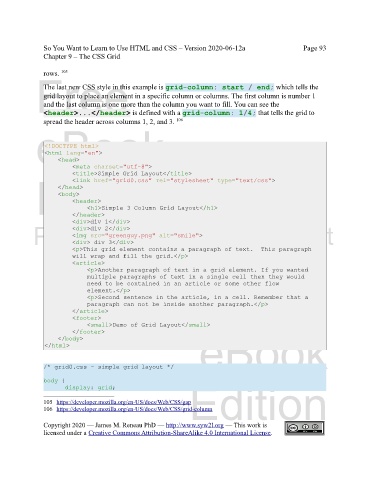
               The last new CSS style in this example is grid-column: start / end; which tells the
               grid layout to place an element in a specific column or columns. The first column is number 1
               and the last column is one more than the column you want to fill. You can see the
               <header>...</header> is defined with a grid-column: 1/4; that tells the grid to
               spread the header across columns 1, 2, and 3.
                                                           106
             eBook

                <!DOCTYPE html>
                <html lang="en">
                    <head>
                         <meta charset="utf-8">
                         <title>Simple Grid Layout</title>
             Edition
                         <link href="grid0.css" rel="stylesheet" type="text/css">
                    </head>
                    <body>
                         <header>
                              <h1>Simple 3 Column Grid Layout</h1>
                         </header>
                         <div>div 1</div>
            Please support this work at
                         <div>div 2</div>
                         <img src="greenguy.png" alt="smile">
                         <div> div 3</div>
                         <p>This grid element contains a paragraph of text.  This paragraph
                                  http://syw2l.org
                         will wrap and fill the grid.</p>
                         <article>
                              <p>Another paragraph of text in a grid element. If you wanted
                              multiple paragraphs of text in a single cell then they would
                                                                               Free
                              need to be contained in an article or some other flow
                              element.</p>
                              <p>Second sentence in the article, in a cell. Remember that a
                              paragraph can not be inside another paragraph.</p>
                         </article>
                         <footer>
                              <small>Demo of Grid Layout</small>
                         </footer>
                    </body>
                </html>                                            eBook


               /* grid0.css - simple grid layout */

               body {
                                                                Edition
                       display: grid;
               105 https://developer.mozilla.org/en-US/docs/Web/CSS/gap

               106 https://developer.mozilla.org/en-US/docs/Web/CSS/grid-column

               Copyright 2020 — James M. Reneau PhD — http://www.syw2l.org — This work is
               licensed under a Creative Commons Attribution-ShareAlike 4.0 International License.

