


Page 138 - Learn To Use HTML and CSS
P. 138
So You Want to Learn to Use HTML and CSS – Version 2020-06-12a                       Page 128
               Chapter 12 — Forms and Input Elements    146

                       <legend>...</legend> tag.
             Free                                147
                       <textarea></textarea> — This tag is used to create a multi-line text entry box,
                   •
                       such as a comment section.   When defining it you should include the ros and cols
                       attributes to define the size on the screen. For example:
                       <textarea name="message" rows=3 cols=60>Default
                       Text</textarea>
             eBook
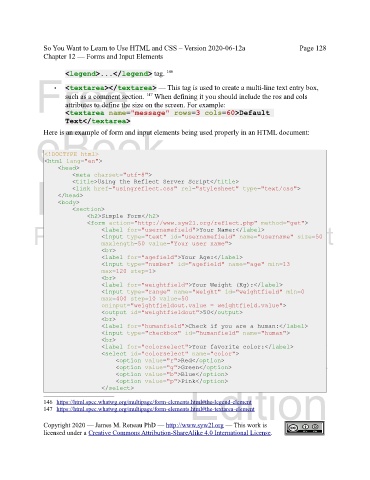
               Here is an example of form and input elements being used properly in an HTML document:


                <!DOCTYPE html>
                <html lang="en">
                    <head>
                         <meta charset="utf-8">
             Edition
                         <title>Using the Reflect Server Script</title>
                         <link href="usingreflect.css" rel="stylesheet" type="text/css">
                    </head>
                    <body>
                         <section>
                              <h2>Simple Form</h2>
                              <form action="http://www.syw2l.org/reflect.php" method="get">
            Please support this work at
                                   <label for="usernamefield">Your Name:</label>
                                   <input type="text" id="usernamefield" name="username" size=50
                                   maxlength=50 value="Your user name">
                                   <br>
                                  http://syw2l.org
                                   <label for="agefield">Your Age:</label>
                                   <input type="number" id="agefield" name="age" min=13
                                   max=120 step=1>
                                   <br>
                                   <label for="weightfield">Your Weight (Kg):</label>
                                   <input type="range" name="weight" id="weightfield" min=0
                                   max=400 step=10 value=50                    Free
                                   oninput="weightfieldout.value = weightfield.value">
                                   <output id="weightfieldout">50</output>
                                   <br>
                                   <label for="humanfield">Check if you are a human:</label>
                                                                   eBook
                                   <input type="checkbox" id="humanfield" name="human">
                                   <br>
                                   <label for="colorselect">Your favorite color:</label>
                                   <select id="colorselect" name="color">
                                       <option value="r">Red</option>
                                       <option value="g">Green</option>
                                       <option value="b">Blue</option>
                                       <option value="p">Pink</option>
                                                                Edition
                                   </select>

               146 https://html.spec.whatwg.org/multipage/form-elements.html#the-legend-element

               147 https://html.spec.whatwg.org/multipage/form-elements.html#the-textarea-element
               Copyright 2020 — James M. Reneau PhD — http://www.syw2l.org — This work is
               licensed under a Creative Commons Attribution-ShareAlike 4.0 International License.

