


Page 97 - Learn To Use HTML and CSS
P. 97
So You Want to Learn to Use HTML and CSS – Version 2020-06-12a                        Page 87
               Chapter 8 — CSS Positioning and Background Images


             Free


             eBook


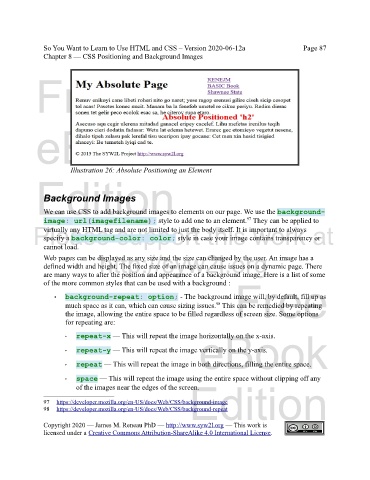
                        Illustration 26: Absolute Positioning an Element
             Edition


               Background Images

               We can use CSS to add background images to elements on our page. We use the background-
                                                                                   97
               image: url(imagefilename); style to add one to an element.  They can be applied to
            Please support this work at
               virtually any HTML tag and are not limited to just the body itself. It is important to always
               specify a background-color: color; style in case your image contains transparency or
               cannot load.
                                  http://syw2l.org
               Web pages can be displayed as any size and the size can changed by the user. An image has a
               defined width and height. The fixed size of an image can cause issues on a dynamic page. There
               are many ways to alter the position and appearance of a background image. Here is a list of some
                                                                               Free
               of the more common styles that can be used with a background :

                   •   background-repeat: option; - The background image will, by default, fill up as
                       much space as it can, which can cause sizing issues.  This can be remedied by repeating
                                                                         98
                       the image, allowing the entire space to be filled regardless of screen size. Some options
                       for repeating are:
                                                                   eBook
                       ‣  repeat-x — This will repeat the image horizontally on the x-axis.

                       ‣  repeat-y — This will repeat the image vertically on the y-axis.

                       ‣  repeat — This will repeat the image in both directions, filling the entire space.

                       ‣  space — This will repeat the image using the entire space without clipping off any
                                                                Edition
                          of the images near the edges of the screen.
               97     https://developer.mozilla.org/en-US/docs/Web/CSS/background-image
               98   https://developer.mozilla.org/en-US/docs/Web/CSS/background-repeat

               Copyright 2020 — James M. Reneau PhD — http://www.syw2l.org — This work is
               licensed under a Creative Commons Attribution-ShareAlike 4.0 International License.

