


Page 193 - Learn to Program - Basic-256
P. 193
Chapter 13: Images, WAVs, and Sprites                                           Page 177


            Chapter 13: Images, WAVs, and Sprites


                   This chapter will introduce the really advanced multimedia and graphical
                   statements. Saving images to a file, loading them back, playing sounds from
                   WAV files, and really cool animation using sprites.


            Saving Images to a File:


                   So far we have seen how to create shapes and graphics using the built in
                   drawing statements. The imgsave statement allows you to save your images
                   to one of many standard image formats.


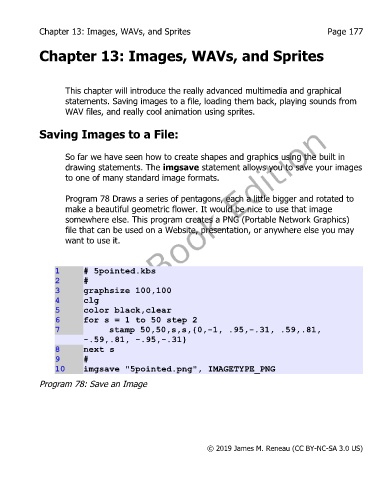
                   Program 78 Draws a series of pentagons, each a little bigger and rotated to
                   make a beautiful geometric flower. It would be nice to use that image
                   somewhere else. This program creates a PNG (Portable Network Graphics)
                   file that can be used on a Website, presentation, or anywhere else you may
                   want to use it.


                1       # 5pointed.kbs
                2       #
                3       graphsize 100,100
                4       clg
                5       color black,clear
                6       for s = 1 to 50 step 2
                7              stamp 50,50,s,s,{0,-1, .95,-.31, .59,.81,
                        -.59,.81, -.95,-.31}
                8       next s
                9       #
                10      imgsave "5pointed.png", IMAGETYPE_PNG

            Program 78: Save an Image


                                                           © 2019 James M. Reneau (CC BY-NC-SA 3.0 US)

