


Page 330 - Learn to Program - Basic-256
P. 330
Chapter 21: Database Programming                                                Page 314


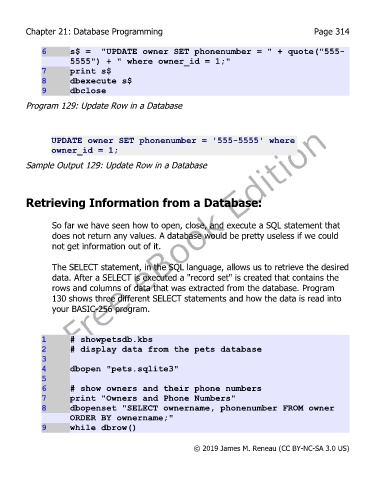
             6      s$ =  "UPDATE owner SET phonenumber = " + quote("555-
                    5555") + " where owner_id = 1;"
             7      print s$
             8      dbexecute s$
             9      dbclose
        Program 129: Update Row in a Database


               UPDATE owner SET phonenumber = '555-5555' where
               owner_id = 1;

        Sample Output 129: Update Row in a Database


        Retrieving Information from a Database:


               So far we have seen how to open, close, and execute a SQL statement that
               does not return any values. A database would be pretty useless if we could
               not get information out of it.

               The SELECT statement, in the SQL language, allows us to retrieve the desired
               data. After a SELECT is executed a "record set" is created that contains the
               rows and columns of data that was extracted from the database. Program
               130 shows three different SELECT statements and how the data is read into
               your BASIC-256 program.


             1      # showpetsdb.kbs
             2      # display data from the pets database
             3
             4      dbopen "pets.sqlite3"
             5
             6      # show owners and their phone numbers
             7      print "Owners and Phone Numbers"
             8      dbopenset "SELECT ownername, phonenumber FROM owner
                    ORDER BY ownername;"
             9      while dbrow()


                                                       © 2019 James M. Reneau (CC BY-NC-SA 3.0 US)

