


Page 202 - Programming With Python 3
P. 202
An Introduction to STEM Programming with Python — 2019-09-03a                              Page 189
            Chapter 19 — Better Graphics


             of it to the same folder that you are saving your program to.
             Free


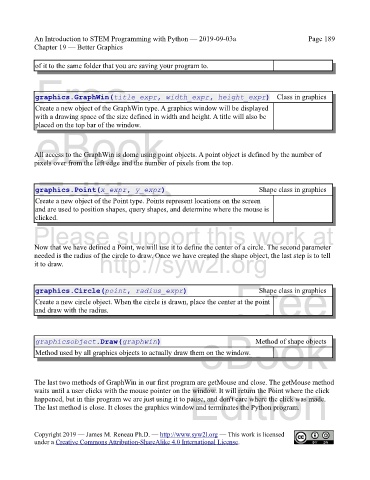
             graphics.GraphWin(title_expr, width_expr, height_expr) Class in graphics

             Create a new object of the GraphWin type. A graphics window will be displayed
             with a drawing space of the size defined in width and height. A title will also be
             placed on the top bar of the window.
             eBook


            All access to the GraphWin is dome using point objects. A point object is defined by the number of
            pixels over from the left edge and the number of pixels from the top.

             Edition
             graphics.Point(x_expr, y_expr)                                            Shape class in graphics

             Create a new object of the Point type. Points represent locations on the screen
             and are used to position shapes, query shapes, and determine where the mouse is
             clicked.
            Please support this work at


            Now that we have defined a Point, we will use it to define the center of a circle. The second parameter
            needed is the radius of the circle to draw. Once we have created the shape object, the last step is to tell
            it to draw.           http://syw2l.org

                                                                               Free
             graphics.Circle(point, radius_expr)                                       Shape class in graphics
             Create a new circle object. When the circle is drawn, place the center at the point
             and draw with the radius.


                                                                   eBook
             graphicsobject.Draw(graphwin)                                            Method of shape objects
             Method used by all graphics objects to actually draw them on the window.


            The last two methods of GraphWin in our first program are getMouse and close. The getMouse method
                                                                Edition
            waits until a user clicks with the mouse pointer on the window. It will return the Point where the click
            happened, but in this program we are just using it to pause, and don't care where the click was made.
            The last method is close. It closes the graphics window and terminates the Python program.


            Copyright 2019 — James M. Reneau Ph.D. — http://www.syw2l.org — This work is licensed
            under a Creative Commons Attribution-ShareAlike 4.0 International License.

