


Page 70 - Basic Course
P. 70
KNX BASIC COURSE

                  Data formats
                  Different data formats are necessary for processing data. The contents of the data formats
                  can be presented in binary, decimal or hexadecimal form.

                  Number conversions
                  In order to be able to switch between the different numbering systems, values must be
                  converted.

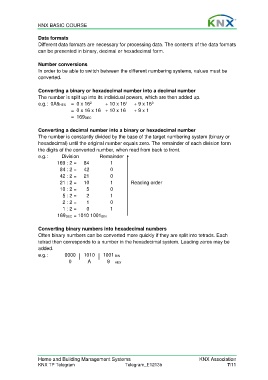
                  Converting a binary or hexadecimal number into a decimal number
                  The number is split up into its individual powers, which are then added up.
                                                                    0
                                                         1
                                         2
                  e.g.:  0A9HEX  =  0 x 16      + 10 x 16    + 9 x 16
                                 =  0 x 16 x 16  + 10 x 16   + 9 x 1
                                 = 169DEC

                  Converting a decimal number into a binary or hexadecimal number
                  The number is constantly divided by the base of the target numbering system (binary or
                  hexadecimal) until the original number equals zero. The remainder of each division form
                  the digits of the converted number, when read from back to front.
                  e.g.:          Division      Remainder
                          169 : 2 =   84          1
                            84 : 2 =   42         0
                            42 : 2 =   21         0
                            21 : 2 =   10         1        Reading order
                            10 : 2 =   5          0
                             5 : 2 =   2          1
                             2 : 2 =   1          0
                             1 : 2 =   0          1
                           169DEC = 1010 1001BIN

                  Converting binary numbers into hexadecimal numbers
                  Often binary numbers can be converted more quickly if they are split into tetrads. Each
                  tetrad then corresponds to a number in the hexadecimal system. Leading zeros may be
                  added.
                  e.g.:       0000    1010     1001  BIN
                                0       A        9  HEX


                  Home and Building Management Systems                                    KNX Association
                  KNX TP Telegram                        Telegram_E1213b                              7/11

