


Page 25 - Google-Cheat-Sheets-eBook
P. 25
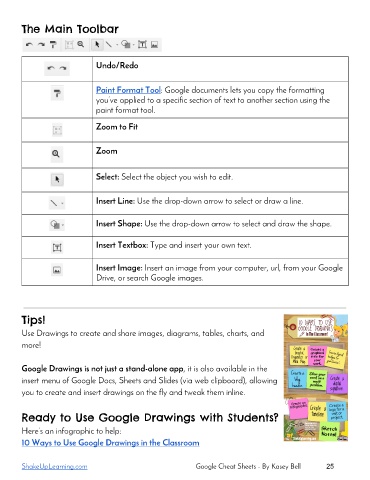
The Main Toolbar
Undo/Redo
Paint Format Tool: Google documents lets you copy the formatting
you’ve applied to a specific section of text to another section using the
paint format tool.
Zoom to Fit
Zoom
Select: Select the object you wish to edit.
Insert Line: Use the drop-down arrow to select or draw a line.
Insert Shape: Use the drop-down arrow to select and draw the shape.
Insert Textbox: Type and insert your own text.
Insert Image: Insert an image from your computer, url, from your Google
Drive, or search Google images.
Tips!
Use Drawings to create and share images, diagrams, tables, charts, and
more!
Google Drawings is not just a stand-alone app, it is also available in the
insert menu of Google Docs, Sheets and Slides (via web clipboard), allowing
you to create and insert drawings on the fly and tweak them inline.
Ready to Use Google Drawings with Students?
Here’s an infographic to help:
10 Ways to Use Google Drawings in the Classroom
ShakeUpLearning.com Google Cheat Sheets - By Kasey Bell 25

