


Page 15 - Windows 10 May 2019 Update The Missing Manual: The Book That Should Have Been in the Box
P. 15
PC. In the May 2019 Update, though, Windows uses artificial

                           intelligence to figure out your active hours by observing when
                           you’re actually using the machine.

                           Less happily, on new PCs (or clean installations), Windows now
                           sets aside about 7 gigabytes of disk space—off-limits to you—for

                           its own use during updates and installations.

                           A safe sandbox. The new Windows Sandbox app (in the Pro and

                           Enterprise versions) creates a secure bubble in which you can try
                           out buggy or sketchy apps, fully isolated from the rest of Windows.
                           Go ahead and run a program riddled with viruses and malware; it

                           won’t matter. When you close the Sandbox app, all traces of your
                           activity are gone forever.


                           Better screenshots. The Snip & Sketch app now has a self-timer,
                           so you can have up to 10 seconds to prepare your screen before it
                           captures a screenshot. It can auto-snap just one individual window,

                           too. And the app can now add borders to your shots and even print
                           them.


                           A lot of misc. Yes, a lot of misc. Ready?

                           The Sticky Notes app can now sync your notes across your various
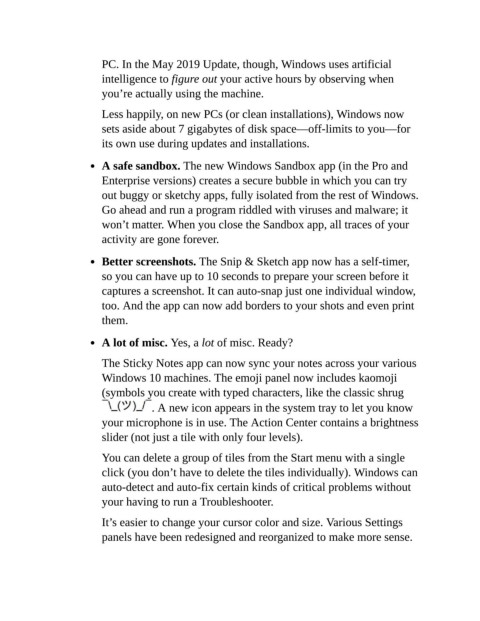
                           Windows 10 machines. The emoji panel now includes kaomoji

                           (symbols you create with typed characters, like the classic shrug
                                        . A new icon appears in the system tray to let you know
                           your microphone is in use. The Action Center contains a brightness

                           slider (not just a tile with only four levels).

                           You can delete a group of tiles from the Start menu with a single
                           click (you don’t have to delete the tiles individually). Windows can

                           auto-detect and auto-fix certain kinds of critical problems without
                           your having to run a Troubleshooter.

                           It’s easier to change your cursor color and size. Various Settings

                           panels have been redesigned and reorganized to make more sense.

