


Page 208 - Windows 10 May 2019 Update The Missing Manual: The Book That Should Have Been in the Box
P. 208
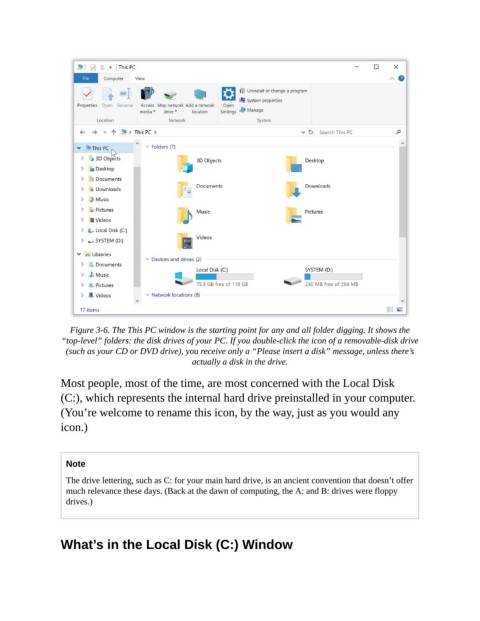
Figure 3-6. The This PC window is the starting point for any and all folder digging. It shows the
                 “top-level” folders: the disk drives of your PC. If you double-click the icon of a removable-disk drive
                  (such as your CD or DVD drive), you receive only a “Please insert a disk” message, unless there’s
                                                  actually a disk in the drive.

                Most people, most of the time, are most concerned with the Local Disk
                (C:), which represents the internal hard drive preinstalled in your computer.

                (You’re welcome to rename this icon, by the way, just as you would any
                icon.)


                  Note

                  The drive lettering, such as C: for your main hard drive, is an ancient convention that doesn’t offer
                  much relevance these days. (Back at the dawn of computing, the A: and B: drives were floppy
                  drives.)


                What’s in the Local Disk (C:) Window

