


Page 274 - Windows 10 May 2019 Update The Missing Manual: The Book That Should Have Been in the Box
P. 274
for example, you can opt out of having the slideshow when you’re

                           running on battery power, and you can have the screen go dark
                           after thirty minutes, one hour, or three hours of slideshow.)

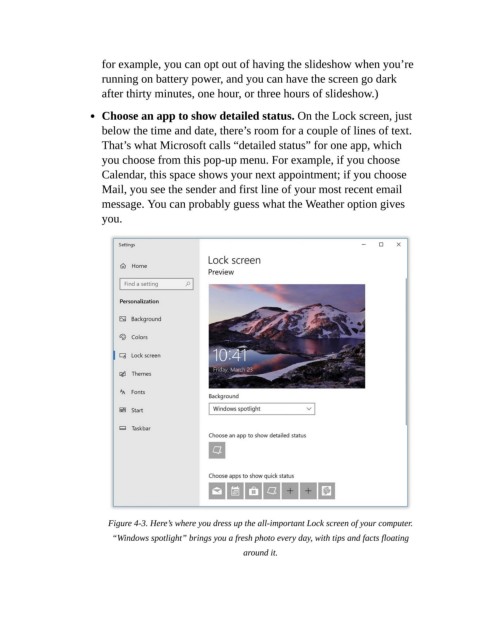
                           Choose an app to show detailed status. On the Lock screen, just

                           below the time and date, there’s room for a couple of lines of text.
                           That’s what Microsoft calls “detailed status” for one app, which
                           you choose from this pop-up menu. For example, if you choose

                           Calendar, this space shows your next appointment; if you choose
                           Mail, you see the sender and first line of your most recent email
                           message. You can probably guess what the Weather option gives

                           you.


                             Figure 4-3. Here’s where you dress up the all-important Lock screen of your computer.

                              “Windows spotlight” brings you a fresh photo every day, with tips and facts floating
                                                               around it.

