


Page 281 - Windows 10 May 2019 Update The Missing Manual: The Book That Should Have Been in the Box
P. 281
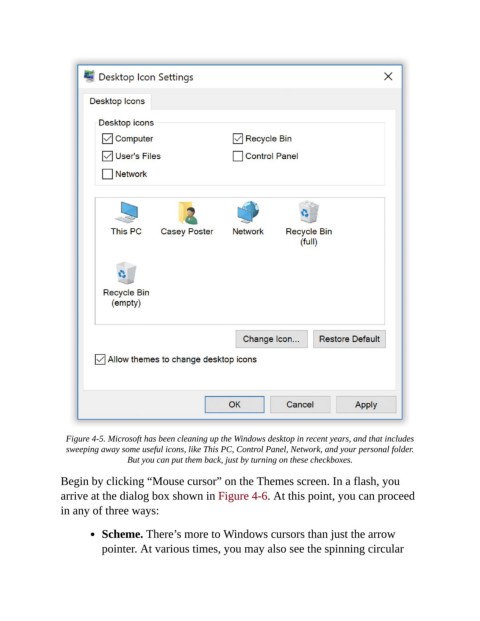
Figure 4-5. Microsoft has been cleaning up the Windows desktop in recent years, and that includes
                  sweeping away some useful icons, like This PC, Control Panel, Network, and your personal folder.
                                 But you can put them back, just by turning on these checkboxes.


                Begin by clicking “Mouse cursor” on the Themes screen. In a flash, you
                arrive at the dialog box shown in Figure 4-6. At this point, you can proceed
                in any of three ways:


                           Scheme. There’s more to Windows cursors than just the arrow
                           pointer. At various times, you may also see the spinning circular

