


Page 349 - Windows 10 May 2019 Update The Missing Manual: The Book That Should Have Been in the Box
P. 349
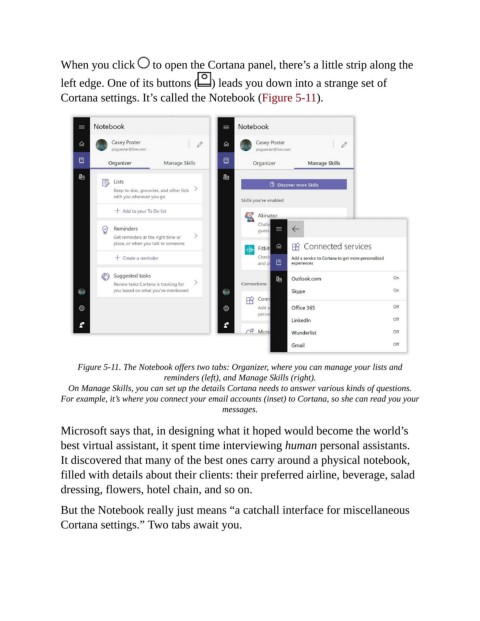
When you click   to open the Cortana panel, there’s a little strip along the

                left edge. One of its buttons (        ) leads you down into a strange set of
                Cortana settings. It’s called the Notebook (Figure 5-11).


                     Figure 5-11. The Notebook offers two tabs: Organizer, where you can manage your lists and
                                           reminders (left), and Manage Skills (right).

                  On Manage Skills, you can set up the details Cortana needs to answer various kinds of questions.
                For example, it’s where you connect your email accounts (inset) to Cortana, so she can read you your
                                                          messages.


                Microsoft says that, in designing what it hoped would become the world’s
                best virtual assistant, it spent time interviewing human personal assistants.
                It discovered that many of the best ones carry around a physical notebook,

                filled with details about their clients: their preferred airline, beverage, salad
                dressing, flowers, hotel chain, and so on.

                But the Notebook really just means “a catchall interface for miscellaneous

                Cortana settings.” Two tabs await you.

