


Page 477 - Windows 10 May 2019 Update The Missing Manual: The Book That Should Have Been in the Box
P. 477
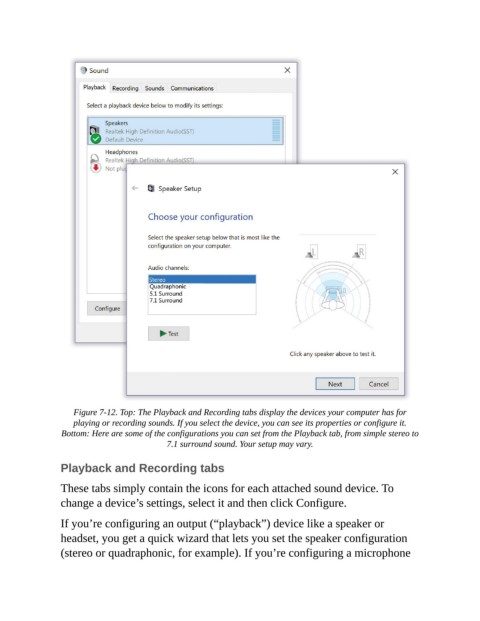
Figure 7-12. Top: The Playback and Recording tabs display the devices your computer has for
                    playing or recording sounds. If you select the device, you can see its properties or configure it.

                 Bottom: Here are some of the configurations you can set from the Playback tab, from simple stereo to
                                            7.1 surround sound. Your setup may vary.


                Playback and Recording tabs

                These tabs simply contain the icons for each attached sound device. To
                change a device’s settings, select it and then click Configure.

                If you’re configuring an output (“playback”) device like a speaker or

                headset, you get a quick wizard that lets you set the speaker configuration
                (stereo or quadraphonic, for example). If you’re configuring a microphone

