


Page 649 - Windows 10 May 2019 Update The Missing Manual: The Book That Should Have Been in the Box
P. 649
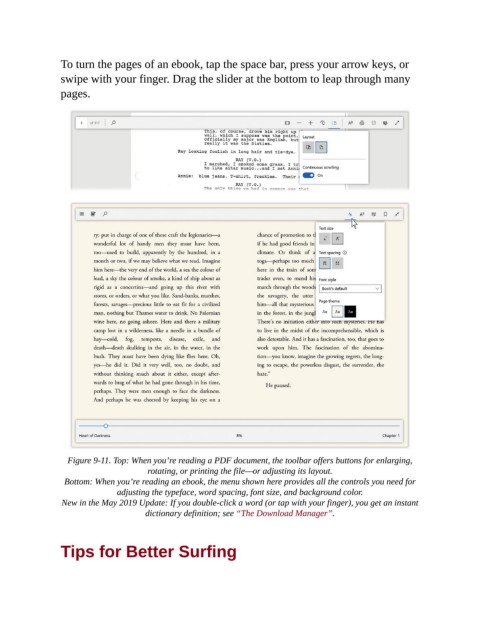
To turn the pages of an ebook, tap the space bar, press your arrow keys, or

                swipe with your finger. Drag the slider at the bottom to leap through many
                pages.


                  Figure 9-11. Top: When you’re reading a PDF document, the toolbar offers buttons for enlarging,
                                       rotating, or printing the file—or adjusting its layout.

                 Bottom: When you’re reading an ebook, the menu shown here provides all the controls you need for
                               adjusting the typeface, word spacing, font size, and background color.

                 New in the May 2019 Update: If you double-click a word (or tap with your finger), you get an instant
                                      dictionary definition; see “The Download Manager”.


                Tips for Better Surfing

