


Page 700 - Windows 10 May 2019 Update The Missing Manual: The Book That Should Have Been in the Box
P. 700
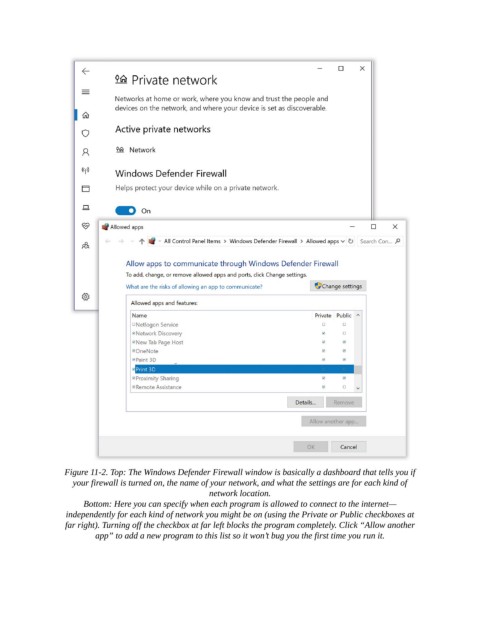
Figure 11-2. Top: The Windows Defender Firewall window is basically a dashboard that tells you if
                   your firewall is turned on, the name of your network, and what the settings are for each kind of
                                                      network location.

                      Bottom: Here you can specify when each program is allowed to connect to the internet—
                  independently for each kind of network you might be on (using the Private or Public checkboxes at
                  far right). Turning off the checkbox at far left blocks the program completely. Click “Allow another
                         app” to add a new program to this list so it won’t bug you the first time you run it.

