


Page 729 - Windows 10 May 2019 Update The Missing Manual: The Book That Should Have Been in the Box
P. 729
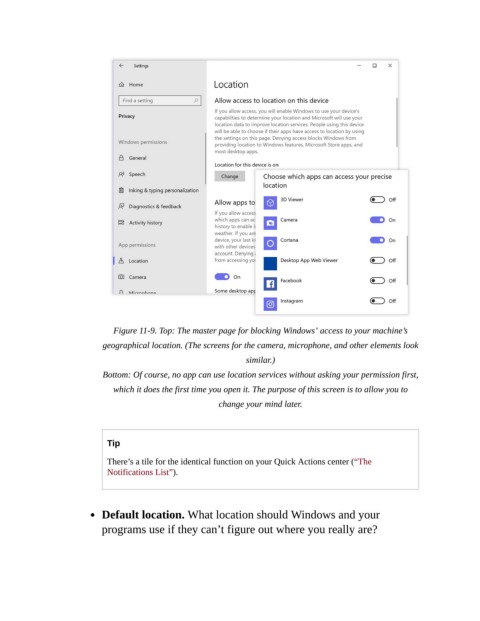
Figure 11-9. Top: The master page for blocking Windows’ access to your machine’s
                           geographical location. (The screens for the camera, microphone, and other elements look

                                                                similar.)

                           Bottom: Of course, no app can use location services without asking your permission first,
                              which it does the first time you open it. The purpose of this screen is to allow you to

                                                         change your mind later.


                            Tip

                            There’s a tile for the identical function on your Quick Actions center (“The
                            Notifications List”).


                           Default location. What location should Windows and your
                           programs use if they can’t figure out where you really are?

