


Page 953 - Windows 10 May 2019 Update The Missing Manual: The Book That Should Have Been in the Box
P. 953
Tip

                            In the unlikely event that you want Windows to stop memorizing your password,
                            search for credential and select Credential Manager in the results. You see a list of
                            every name/password Windows has memorized for you. You can use the options here
                            to add a new memorized name/password, or expand one of the existing items in the list
                            to remove it (“Remove from vault”) or edit it.


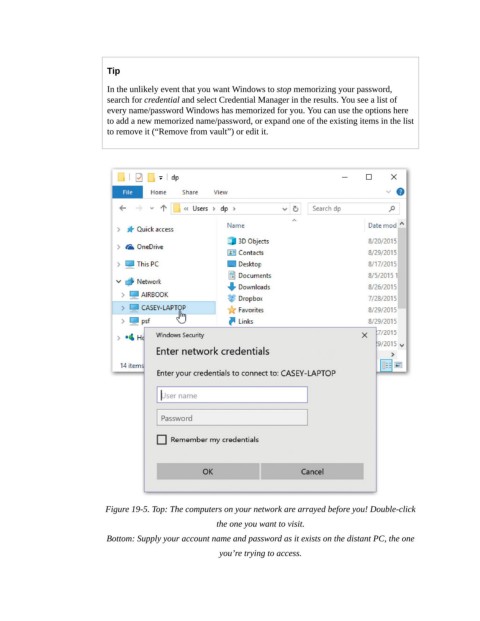
                            Figure 19-5. Top: The computers on your network are arrayed before you! Double-click

                                                        the one you want to visit.

                            Bottom: Supply your account name and password as it exists on the distant PC, the one
                                                         you’re trying to access.

