


Page 960 - Windows 10 May 2019 Update The Missing Manual: The Book That Should Have Been in the Box
P. 960
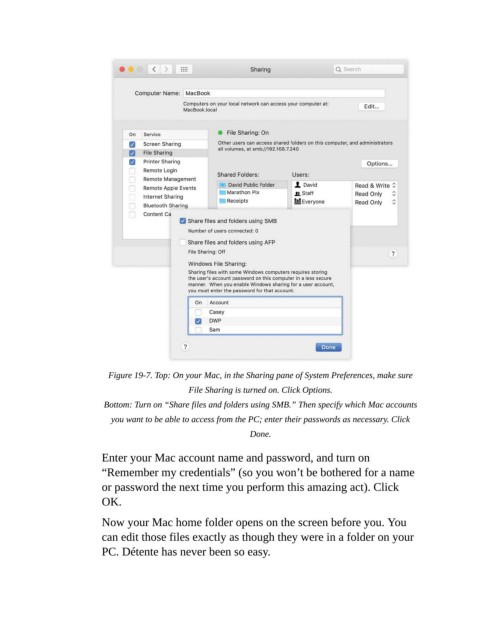
Figure 19-7. Top: On your Mac, in the Sharing pane of System Preferences, make sure
                                                 File Sharing is turned on. Click Options.

                           Bottom: Turn on “Share files and folders using SMB.” Then specify which Mac accounts
                             you want to be able to access from the PC; enter their passwords as necessary. Click
                                                                 Done.


                           Enter your Mac account name and password, and turn on
                           “Remember my credentials” (so you won’t be bothered for a name

                           or password the next time you perform this amazing act). Click
                           OK.

                           Now your Mac home folder opens on the screen before you. You

                           can edit those files exactly as though they were in a folder on your
                           PC. Détente has never been so easy.

