


Page 1156 - (ISC)² CISSP Certified Information Systems Security Professional Official Study Guide
P. 1156
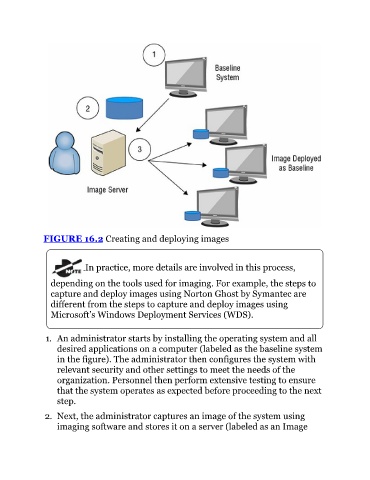
FIGURE 16.2 Creating and deploying images


                             In practice, more details are involved in this process,


                  depending on the tools used for imaging. For example, the steps to
                  capture and deploy images using Norton Ghost by Symantec are
                  different from the steps to capture and deploy images using
                  Microsoft’s Windows Deployment Services (WDS).


                1.  An administrator starts by installing the operating system and all
                    desired applications on a computer (labeled as the baseline system
                    in the figure). The administrator then configures the system with

                    relevant security and other settings to meet the needs of the
                    organization. Personnel then perform extensive testing to ensure
                    that the system operates as expected before proceeding to the next
                    step.

                2.  Next, the administrator captures an image of the system using
                    imaging software and stores it on a server (labeled as an Image

