Page 13 - DIKTAT MICROSOFT EXCEL 2000
P. 13
E-BOOK  Microsoft excel 2000

                             2.  Superscript    : untuk cetak naik
                             3.  Subscript       : untuk cetak turun

                     11.  MEMFORMAT BORDER / MEMBUAT GARIS KOTAK DI LEMBAR KERJA
                           Adapun cara memformat border / membuat kotak ada 2 cara adalah :
                             Dengan menu TOOLBARS
                             KLIK ICON KOTAK PADA TOOLBARS
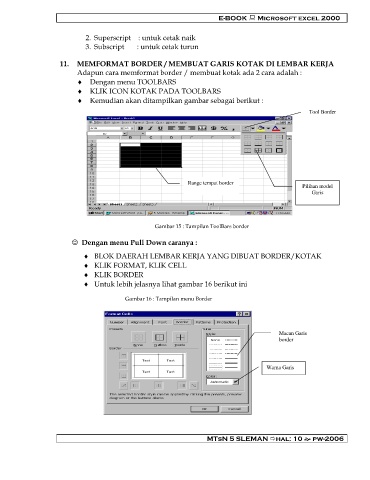
                             Kemudian akan ditampilkan gambar sebagai berikut :
                                                                                                       Tool Border


                                                               Range tempat border                   Pilihan model
                                                                                                        Garis


                                                    Gambar 15 : Tampilan ToolBars border

                           Dengan menu Pull Down caranya :

                               BLOK DAERAH LEMBAR KERJA YANG DIBUAT BORDER/KOTAK
                               KLIK FORMAT, KLIK CELL
                               KLIK BORDER
                               Untuk lebih jelasnya lihat gambar 16 berikut ini

                                          Gambar 16 : Tampilan menu Border


                                                                                             Macan Garis
                                                                                             border


                                                                                         Warna Garis


                                                                     MTsN 5 SLEMAN hal: 10  pw-2006
   8   9   10   11   12   13   14   15   16   17   18