


Page 8 - DAX-Formula-Reference-Guide-Enterprise-DNA_Neat
P. 8
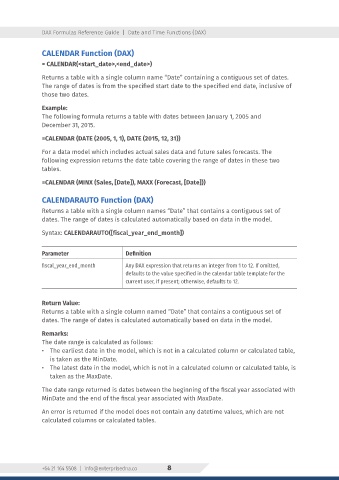
DAX Formulas Reference Guide  |  Date and Time Functions (DAX)


                CALENDAR Function (DAX)
                = CALENDAR(<start_date>,<end_date>)

                Returns a table with a single column name “Date” containing a contiguous set of dates.
                The range of dates is from the specified start date to the specified end date, inclusive of
                those two dates.

                Example:
                The following formula returns a table with dates between January 1, 2005 and
                December 31, 2015.


                =CALENDAR (DATE (2005, 1, 1), DATE (2015, 12, 31))
                For a data model which includes actual sales data and future sales forecasts. The
                following expression returns the date table covering the range of dates in these two
                tables.

                =CALENDAR (MINX (Sales, [Date]), MAXX (Forecast, [Date]))


                CALENDARAUTO Function (DAX)
                Returns a table with a single column names “Date” that contains a contiguous set of
                dates. The range of dates is calculated automatically based on data in the model.

                Syntax: CALENDARAUTO([fiscal_year_end_month])


                Parameter                    Definition
                fiscal_year_end_month        Any DAX expression that returns an integer from 1 to 12. If omitted,
                                             defaults to the value specified in the calendar table template for the
                                             current user, if present; otherwise, defaults to 12.


                Return Value:
                Returns a table with a single column named “Date” that contains a contiguous set of
                dates. The range of dates is calculated automatically based on data in the model.

                Remarks:
                The date range is calculated as follows:
                •  The earliest date in the model, which is not in a calculated column or calculated table,
                   is taken as the MinDate.
                •  The latest date in the model, which is not in a calculated column or calculated table, is
                   taken as the MaxDate.

                The date range returned is dates between the beginning of the fiscal year associated with
                MinDate and the end of the fiscal year associated with MaxDate.

                An error is returned if the model does not contain any datetime values, which are not
                calculated columns or calculated tables.


                +64 21 164 5508  |  info@enterprisedna.co   8

