


Page 92 - Computing book 6
P. 92
Minecraft                                                                            Class 6


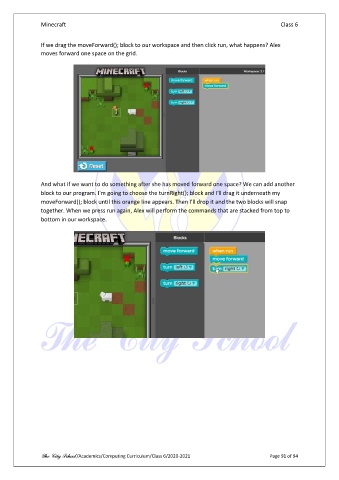
               If we drag the moveForward(); block to our workspace and then click run, what happens? Alex
               moves forward one space on the grid.


               And what if we want to do something after she has moved forward one space? We can add another
               block to our program. I'm going to choose the turnRight(); block and I'll drag it underneath my
               moveForward(); block until this orange line appears. Then I'll drop it and the two blocks will snap
               together. When we press run again, Alex will perform the commands that are stacked from top to
               bottom in our workspace.


               The City School /Academics/Computing Curriculum/Class 6/2020-2021                Page 91 of 94

