


Page 101 - Computing Book 5
P. 101
Interactive Stories                                                                  Class 5


               What is EdScratch:

               EdScratch is a vertical block-based visual programming language based on Scratch. EdScratch
               combines the ease of drag-and-drop programming with powerful functionality and versatility. The
               result is a robot programming language that is easy to learn and offers a robust platform for
               computer science education.


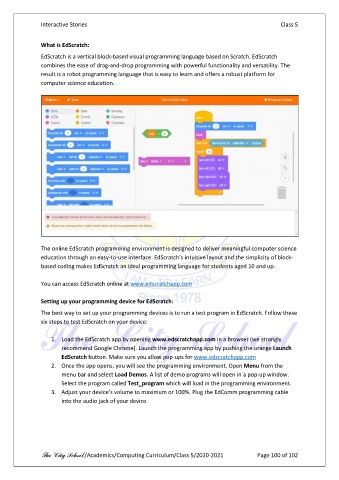
               The online EdScratch programming environment is designed to deliver meaningful computer science
               education through an easy-to-use interface. EdScratch’s intuitive layout and the simplicity of block-
               based coding makes EdScratch an ideal programming language for students aged 10 and up.

               You can access EdScratch online at www.edscratchapp.com

               Setting up your programming device for EdScratch:
               The best way to set up your programming devices is to run a test program in EdScratch. Follow these
               six steps to test EdScratch on your device:

                   1.  Load the EdScratch app by opening www.edscratchapp.com in a browser (we strongly
                       recommend Google Chrome). Launch the programming app by pushing the orange Launch
                       EdScratch button. Make sure you allow pop-ups for www.edscratchapp.com
                   2.  Once the app opens, you will see the programming environment. Open Menu from the
                       menu bar and select Load Demos. A list of demo programs will open in a pop-up window.
                       Select the program called Test_program which will load in the programming environment.
                   3.  Adjust your device’s volume to maximum or 100%. Plug the EdComm programming cable
                       into the audio jack of your device.


               The City School /Academics/Computing Curriculum/Class 5/2020-2021           Page 100 of 102

