


Page 92 - MATHEMATICS Y2 - PART 2
P. 92
LET’S EXPLORE


                      Materials/Resources                              Participants

                     Microsoft Word                                    2 pupils per group


                      Method


                          1  Open Microsoft Word.

                          2  Click Insert and Shapes.
                                                                                           9:00
                             Choose a rectangle from Basic Shapes and click.
                        3    Draw a rectangle.

                        4    Click on the rectangle. Click Format and Shape Fill.                        Scan

                             Choose colour and click.                                                     me

                        5    Type name of shape.                                                 9:00

                        6    Repeat steps 2 to 5 for other 2-D shapes.


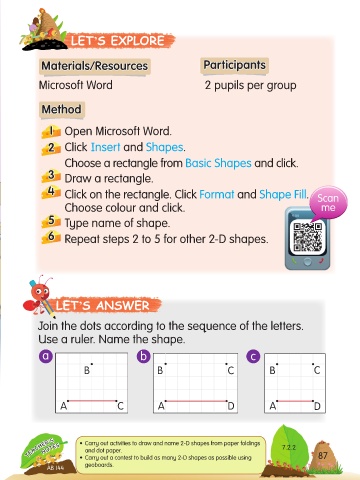
                          LET’S ANSWER


                     Join the dots according to the sequence of the letters.

                     Use a ruler. Name the shape.

                      a                             b                                c

                                   B                     B                    C            B            C


                            A                C           A                    D           A             D


                  TEACHER’S      • Carry out activities to draw and name 2-D shapes from paper foldings   7.2.2  87
                      NOTES
                                   and dot paper.
                                 • Carry out a contest to build as many 2-D shapes as possible using
                                   geoboards.
                        AB 144


            TB-UNIT 7-ENG.indd   87                                                                        12/12/17   1:16 PM

