


Page 19 - fjs-genero-3.00.02-manual-install_Neat
P. 19
Install Genero Application Server | 18


            Install and Uninstall in silent mode on Microsoft Windows platforms

                 Install or uninstall the Genero Application Server in silent mode on Microsoft Windows platforms.
                 To install or uninstall the GAS in silent mode, you can use the msiexec command line utility. The msiexec
                 utility provides the means to install, modify, and perform operations on Windows Installer from the
                 command line.
                 The msiexec utility expects a msi file, which is embedded into the setup program. To extract it, execute
                 the following command:
                 fjs-gas-version-build-osident.exe /x
                 Example:

                 fjs-gas-2.50.04-build129065-v32v100.exe /x
                 A msi file will be created in the same directory and with the same name as the exe file.

                 Options
                 The following options for msiexec are the most common relating to an install and uninstall. Enter
                 msiexec from the command prompt to view the complete list of available options.
                 msiexec /qn - Quiet mode with no UI
                 /i fjs-gas-version-build-osident.msi - Install the specified msi package

                 /x fjs-gas-version-build-osident.msi - Uninstall the specified msi package
                 /log logfile - Log to the specified log file

                 Arguments
                 You can pass arguments to the msiexec installer on the command line.

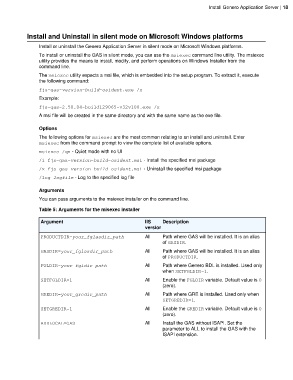
                 Table 5: Arguments for the misexec installer

                  Argument                                    IIS    Description
                                                              version
                  PRODUCTDIR=your_fglasdir_path               All    Path where GAS will be installed. It is an alias
                                                                     of GASDIR.
                  GASDIR=your_fglasdir_path                   All    Path where GAS will be installed. It is an alias
                                                                     of PRODUCTDIR.

                  FGLDIR=your_fgldir_path                     All    Path where Genero BDL is installed. Used only
                                                                     when SETFGLDIR=1.
                  SETFGLDIR=1                                 All    Enable the FGLDIR variable. Default value is 0
                                                                     (zero).
                  GREDIR=your_gredir_path                     All    Path where GRE is installed. Used only when
                                                                     SETGREDIR=1.
                  SETGREDIR=1                                 All    Enable the GREDIR variable. Default value is 0
                                                                     (zero).

                  ADDLOCAL=GAS                                All    Install the GAS without ISAPI. Set the
                                                                     parameter to ALL to install the GAS with the
                                                                     ISAPI extension.

