


Page 15 - fjs-genero-3.00.02-manual-install_Neat
P. 15
Install Genero Desktop Client | 14


                 /l*vx logfile - Provide verbose (detailed) logs in the specified log file


                 Arguments
                 You can pass arguments to the msiexec installer on the command line.

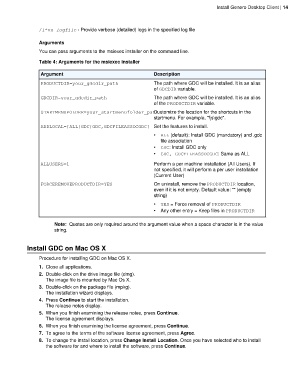
                 Table 4: Arguments for the msiexec installer

                  Argument                                       Description
                  PRODUCTDIR=your_gdcdir_path                    The path where GDC will be installed. It is an alias
                                                                 of GDCDIR variable.
                  GDCDIR=your_gdcdir_path                        The path where GDC will be installed. It is an alias
                                                                 of the PRODUCTDIR variable.

                  STARTMENUFOLDER=your_startmenufolder_pathCustomize the location for the shortcuts in the
                                                                 startmenu. For example, "fjs\gdc".
                  ADDLOCAL=[ALL|GDC|GDC,GDCFILEASSOCGDC] Set the features to install.

                                                                 •  ALL (default): Install GDC (mandatory) and .gdc
                                                                    file association
                                                                 •  GDC: Install GDC only
                                                                 •  GDC, GDCFILEASSOCGDC: Same as ALL
                  ALLUSERS=1                                     Perform a per machine installation (All Users). If
                                                                 not specified, it will perform a per user installation
                                                                 (Current User)

                  FORCEREMOVEPRODUCTDIR=YES                      On uninstall, remove the PRODUCTDIR location,
                                                                 even if it is not empty. Default value: "" (empty
                                                                 string)

                                                                 •  YES = Force removal of PRODUCTDIR
                                                                 •  Any other entry = Keep files in PRODUCTDIR


                        Note:  Quotes are only required around the argument value when a space character is in the value
                        string.


            Install GDC on Mac OS X

                 Procedure for installing GDC on Mac OS X.
                 1. Close all applications.
                 2. Double-click on the drive image file (dmg).
                    The image file is mounted by Mac Os X.
                 3. Double-click on the package file (mpkg).
                    The installation wizard displays.
                 4. Press Continue to start the installation.
                    The release notes display.
                 5. When you finish examining the release notes, press Continue.
                    The license agreement displays.
                 6. When you finish examining the license agreement, press Continue.
                 7. To agree to the terms of the software license agreement, press Agree.
                 8. To change the install location, press Change Install Location. Once you have selected who to install
                    the software for and where to install the software, press Continue.

