


Page 42 - fjs-genero-3.00.02-manual-install_Neat
P. 42
License Genero Business Development Language | 41


                 At this point: If you need to install the maintenance key, see Install or update the maintenance key on
                 page 46.

            Get license information
                 Display the license information for the Genero Business Development Language.
                 About this task:
                 The procedure in this topic describes a method you can use to display information about the license of
                 your Genero product using the license controller. Use this procedure, for example, to find out the date the
                 maintenance contract expires.

                        Tip:  You can also use the procedure described in this topic to retrieve the installation number
                        when you need to register the license and finalize the installation.
                 Before you begin:

                 •  Your Genero environment must be set:
                    •  FGLDIR must be set to the Genero Business Development Language (BDL) installation directory.
                    •  PATH must include FGLDIR/bin.
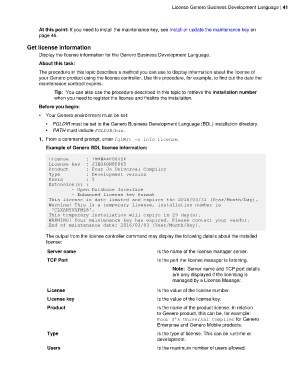
                 1. From a command prompt, enter fglWrt -a info license.
                    Example of Genero BDL license information:

                     License      : THM#AAF00ZSE
                     License key  : JIEG6GN8P065
                     Product      : Four Js Universal Compiler
                     Type         : Development version
                     Users        : 5
                     Extension(s) :
                             - Open Database Interface
                             - Enhanced license key format
                     This license is date limited and expires the 2016/03/31 (Year/Month/Day).
                     Warning! This is a temporary license, installation number is
                      'CLXANYVAFML8'.
                     This temporary installation will expire in 29 day(s).
                     WARNING! Your maintenance key has expired. Please contact your vendor.
                     End of maintenance date: 2016/03/03 (Year/Month/Day).

                    The output from the license controller command may display the following details about the installed
                    license:

                     Server name                                   Is the name of the license manager server.
                     TCP Port                                      Is the port the license manager is listening.

                                                                         Note:  Server name and TCP port details
                                                                         are only displayed if the licensing is
                                                                         managed by a License Manager.

                     License                                       Is the value of the license number.
                     License key                                   Is the value of the license key.

                     Product                                       Is the name of the product license. In relation
                                                                   to Genero product, this can be, for example:
                                                                   Four J's Universal Compiler for Genero
                                                                   Enterprise and Genero Mobile products.
                     Type                                          Is the type of license. This can be runtime or
                                                                   development.
                     Users                                         Is the maximum number of users allowed.

