


Page 45 - fjs-genero-3.00.02-manual-install_Neat
P. 45
License Genero Business Development Language | 44


            Uninstall a local license
                 Follow this procedure to uninstall a local license.

                 About this task:
                 The procedure in this topic describes methods you can use to uninstall the license of your Genero product
                 using the license controller.

                        Note:  This procedure is valid for a local license only. If you are using the Four Js License Manager,
                        see the Four Js License Manager User Guide.
                 Before you begin:

                 •  You must be the root user or the user who installed the software.
                 •  At the command line set your Genero environment:

                    •  FGLDIR must be set to the Genero Business Development Language (BDL) installation directory.
                    •  PATH must include FGLDIR/bin.
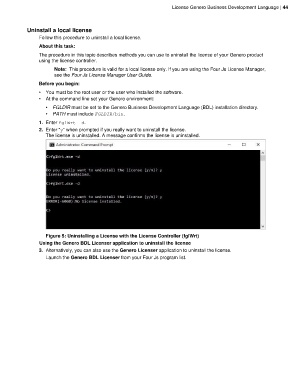
                 1. Enter fglWrt -d.
                 2. Enter "y" when prompted if you really want to uninstall the license.
                    The license is uninstalled. A message confirms the license is uninstalled.


                    Figure 5: Uninstalling a License with the License Controller (fglWrt)
                 Using the Genero BDL Licenser application to uninstall the license
                 3. Alternatively, you can also use the Genero Licenser application to uninstall the license.
                    Launch the Genero BDL Licenser from your Four Js program list.

