


Page 36 - Learn To Use HTML and CSS
P. 36
So You Want to Learn to Use HTML and CSS – Version 2020-06-12a                        Page 26
               Chapter 2 — Adding Images, Media, Color, and Font Effects

               white;">...</h1> that multiple styles are being specified within one tag. Multiple styles in
             Free
               an attribute are separated by semi-colons ";". The last style in the list may or may not have a
               semi-colon but web developers often put it there.


               Fonts
               Adding different fonts to your webpage works in much the same way as adding color. The
             eBook
               font-family style is used to specify the name of the font or fonts. If multiple fonts are
               defined, the first one that is available is used. You should always list more than one font, as not
               all computers will have the same fonts loaded on them. If the user does not have a font that you
               have specified, the browser will follow the list that you provide in your CSS until it reaches one
               that it can load. In the event that it cannot find any of them, it will display the default font
               provided by the browser.
             Edition
               Fonts typically fall into five generic categories. All browsers will have predefined fonts for these
                         41
               five types:
                       serif — a typeface such as Times New Roman that has small lines attached to strokes.
                   •
                       Sometimes they are difficult yo read when small sizes are displayed.
            Please support this work at
                       sans-serif — a typeface such as Ariel that does not have serifs. Generally considered to
                   •
                       look "clean" and modern.
                   •   cursive — a typeface resembling script.
                                  http://syw2l.org
                   •   fantasy — a typeface that is generally used for headers and for text that stands out.
                       Smaller sizes are not recommended with these fonts.
                                                                               Free
                   •   monospace — a typeface where each letter takes up the exact same amount of space
               You should always specify one of the five generic font styles at the end of your font-family.
               This is to ensure that the browser will honor your font request, even if it does not have the
               specific font you asked for.
               If a non-generic font has spaces in its name, you will need to put it in quotes inside the style. Be
                                                                   eBook
               careful with quotes, if the style is inside double quotes you should use single quotes around the
               font name. It may look like this:


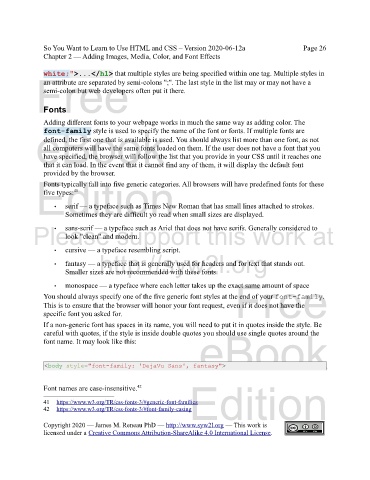
                <body style="font-family: 'DejaVu Sans', fantasy">

                                                                Edition
               Font names are case-insensitive. 42

               41     https://www.w3.org/TR/css-fonts-3/#generic-font-families

               42   https://www.w3.org/TR/css-fonts-3/#font-family-casing
               Copyright 2020 — James M. Reneau PhD — http://www.syw2l.org — This work is
               licensed under a Creative Commons Attribution-ShareAlike 4.0 International License.

