


Page 73 - Learn To Use HTML and CSS
P. 73
So You Want to Learn to Use HTML and CSS – Version 2020-06-12a                        Page 63
               Chapter 6 — The CSS Box Model: Borders, Margin, and Padding

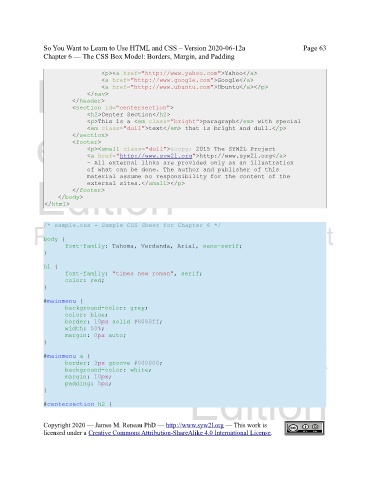
                                   <p><a href="http://www.yahoo.com">Yahoo</a>
             Free
                                   <a href="http://www.google.com">Google</a>
                                   <a href="http://www.ubuntu.com">Ubuntu</a></p>
                              </nav>
                         </header>
                         <section id="centersection">
                              <h2>Center Section</h2>
                              <p>This is a <em class="bright">paragraph</em> with special
             eBook
                              <em class="dull">text</em> that is bright and dull.</p>
                         </section>
                         <footer>
                              <p><small class="dull">© 2015 The SYW2L Project
                              <a href="http://www.syw2l.org">http://www.syw2l.org</a>
                              - All external links are provided only as an illustration
                              of what can be done. The author and publisher of this
                              material assume no responsibility for the content of the
             Edition
                              external sites.</small></p>
                         </footer>
                    </body>
                </html>


               /* sample.css - Sample CSS Sheet for Chapter 6 */
            Please support this work at
               body {
                       font-family: Tahoma, Verdanda, Arial, sans-serif;
               }
               h1 {               http://syw2l.org
                       font-family: "times new roman", serif;
                       color: red;
               }

               #mainmenu {                                                     Free
                       background-color: grey;
                       color: blue;
                       border: 10px solid #8080ff;
                       width: 50%;
                       margin: 0px auto;
               }

               #mainmenu a {                                       eBook
                       border: 3px groove #000000;
                       background-color: white;
                       margin: 10px;
                                                                Edition
                       padding: 5px;
               }

               #centersection h2 {


               Copyright 2020 — James M. Reneau PhD — http://www.syw2l.org — This work is
               licensed under a Creative Commons Attribution-ShareAlike 4.0 International License.

