


Page 354 - Learn to Program - Basic-256
P. 354
Appendix A: Loading BASIC-256 on your Windows PC                                Page 338


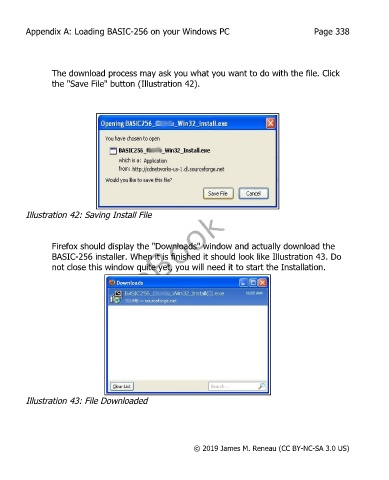
               The download process may ask you what you want to do with the file. Click
               the "Save File" button (Illustration 42).


        Illustration 42: Saving Install File


               Firefox should display the "Downloads" window and actually download the
               BASIC-256 installer. When it is finished it should look like Illustration 43. Do
               not close this window quite yet, you will need it to start the Installation.


        Illustration 43: File Downloaded


                                                       © 2019 James M. Reneau (CC BY-NC-SA 3.0 US)

