


Page 200 - Scratch Programming Playground
P. 200
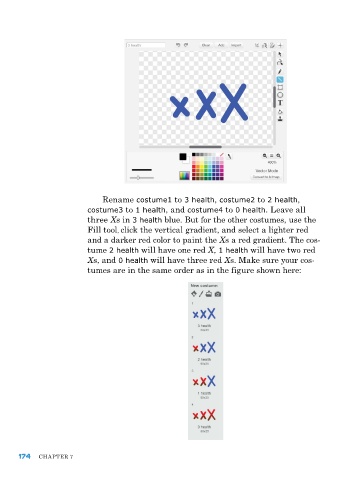
rename costume1 to 3 health, costume2 to 2 health,
                         costume3 to 1 health, and costume4 to 0 health. leave all
                         three Xs in 3 health blue. But for the other costumes, use the
                         Fill tool, click the vertical gradient, and select a lighter red
                         and a darker red color to paint the Xs a red gradient. the cos-
                         tume 2 health will have one red X, 1 health will have two red
                         Xs, and 0 health will have three red Xs. Make sure your cos-
                         tumes are in the same order as in the figure shown here:


      174   Chapter 7

