


Page 207 - Scratch Programming Playground
P. 207
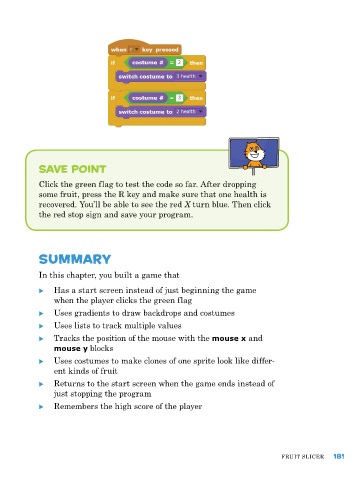
Save Point

            Click the green flag to test the code so far. after dropping
            some fruit, press the r key and make sure that one health is
            recovered. You’ll be able to see the red X turn blue. then click
            the red stop sign and save your program.


            Summary

            In this chapter, you built a game that

            X X has a start screen instead of just beginning the game
                when the player clicks the green flag

            X X uses gradients to draw backdrops and costumes
            X X uses lists to track multiple values
            X X tracks the position of the mouse with the mouse x and
                mouse y blocks
            X X uses costumes to make clones of one sprite look like differ-
                ent kinds of fruit
            X X returns to the start screen when the game ends instead of
                just stopping the program
            X X remembers the high score of the player


                                                                               FruIt SlICer   181

