


Page 49 - Programming With Python 3
P. 49
An Introduction to STEM Programming with Python — 2019-09-03a                               Page 36
            Chapter 3 — Strings, Input, and Interactive Programs


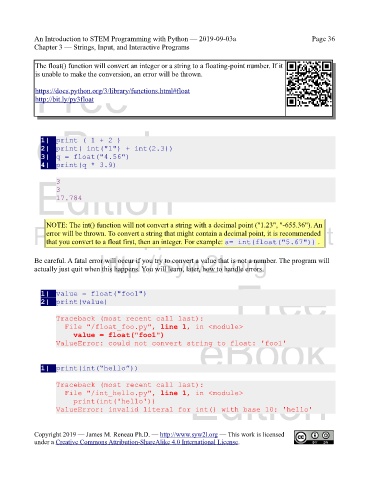
             The float() function will convert an integer or a string to a floating-point number. If it
             is unable to make the conversion, an error will be thrown.
             Free

             https://docs.python.org/3/library/functions.html#float
             http://bit.ly/py3float


             eBook

               1|  print ( 1 + 2 )
               2|  print( int("1") + int(2.3))
               3|  q = float("4.56")
               4|  print(q * 3.9)

             Edition
                    3
                    3
                    17.784


                NOTE: The int() function will not convert a string with a decimal point ("1.23", "-655.36"). An
            Please support this work at
                error will be thrown. To convert a string that might contain a decimal point, it is recommended
                that you convert to a float first, then an integer. For example: a= int(float("5.67")) .

                                  http://syw2l.org
            Be careful. A fatal error will occur if you try to convert a value that is not a number. The program will
            actually just quit when this happens. You will learn, later, how to handle errors.
                                                                               Free

               1|  value = float("foo1")
               2|  print(value)

                    Traceback (most recent call last):
                      File "/float_foo.py", line 1, in <module>
                                                                   eBook
                        value = float("foo1")
                    ValueError: could not convert string to float: 'foo1'


               1|  print(int(“hello”))

                    Traceback (most recent call last):
                      File "/int_hello.py", line 1, in <module>
                        print(int('hello'))                     Edition
                    ValueError: invalid literal for int() with base 10: 'hello'


            Copyright 2019 — James M. Reneau Ph.D. — http://www.syw2l.org — This work is licensed
            under a Creative Commons Attribution-ShareAlike 4.0 International License.

