


Page 118 - MuseScore 2.0 handbook
P. 118
choose a location by selecting a note or rest and then use the menu option Add → Text → Staff Text, or use the shortcut
         Ctrl+T (Mac: ⌘+T). A small text box appears and you can immediately start typing. You can exit the text box at any time
         (even without typing anything) by pressing Esc.

         Staff text can, for example, be used to apply indications such as "Solo" or "Pizzicato" to one staff in a score. Depending on
         what the instructions of the staff text are, MIDI playback of that staff at the text location can be altered to match the
         instructions by right-clicking on the staff text and selecting Staff Text Properties…. See Mid-staff sound change.

         System text

         System text is used when you wish to apply text indications to a whole system rather than just to one staff line. This
         makes a difference when extracting parts, or if you choose to hide empty staves. To create system text, chose a location
         by selecting a note or rest and then use the menu option Add → Text → System Text, or use the shortcut Ctrl+Shift+T (Mac:
         ⌘+Shift+T). A small text box appears and you can immediately start typing. You can exit the text box at any time (even
         without typing anything) by pressing Esc.

         See also


             Mid-staff sound change

         External links

             How to change instrument sound (e.g. pizz., con sordino) midway through score

         Akkoordsymbolen

         Akkoordsymbolen kunnen worden ingevoerd door de eerste noot te selecteren en dan drukken op Ctrl+K (Mac: ⌘+K). Dit
         maakt een akkoorsymbool tekst object voor het gekozen akkoord/noot.
             Spatie verplaatst naar de volgende noot of tel.
             Shift+Spatie verplaatst naar de vorige noot of tel.
             Ctrl+Spatie (Mac: ⌘+Spatie) voegt een spatie toe aan de akkoordnaam.
             ; verplaatst naar de volgende tel.
             Shift+; verplaatst naar de vorige tel.
             Tab verplaatst naar de volgende maat.
             Shift+Tab verplaatst naar de vorige maat.
             Esc verlaat de akkoordsymbool bewerk mode.

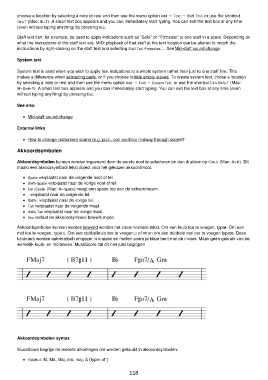
         Akkoordsymbolen kunnen worden bewerkt worden net zoals normale tekst. Om een kruis toe te voegen, type #. Om een
         mol toe te voegen, type b. Om een dubbelkruis toe te voegen, x of ## en om een dubbele mol toe te voegen type bb. Deze
         karakters worden automatisch omgezet in kruizen en mollen zodra je klaar bent met de invoer. Maak geen gebruik van de
         werkelijk kruis- en moltekens, MuseScore zal dit niet juist begrijpen.


         Akkoordsymbolen syntax

         MuseScore begrijpt de meeste afkortingen die worden gebruikt in akkoordsymbolen:

             majeur: M, Ma, Maj, ma, maj, Δ (type t of ˆ)

                                                          118

