


Page 41 - Xamarin Android Application Development
P. 41
ListView                                                                                    37


               In the above code display, the IMenuItem type is type casted to AdapterView.AdapterContextMenuInfo.
               This would give us the position of the item in the Adapter. Which we could find out in our code.


               Displaying selective Image in ListView


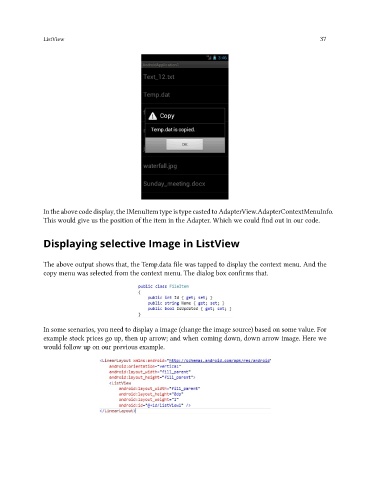
               The above output shows that, the Temp.data file was tapped to display the context menu. And the
               copy menu was selected from the context menu. The dialog box confirms that.


               In some scenarios, you need to display a image (change the image source) based on some value. For
               example stock prices go up, then up arrow; and when coming down, down arrow image. Here we
               would follow up on our previous example.

