


Page 45 - Xamarin Android Application Development
P. 45
Dialogs and Toast                                                                           41


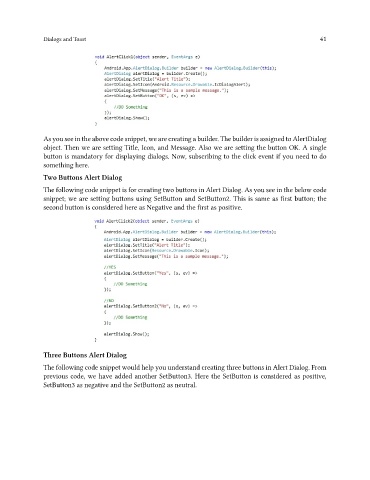
               As you see in the above code snippet, we are creating a builder. The builder is assigned to AlertDialog
               object. Then we are setting Title, Icon, and Message. Also we are setting the button OK. A single
               button is mandatory for displaying dialogs. Now, subscribing to the click event if you need to do
               something here.

               Two Buttons Alert Dialog
               The following code snippet is for creating two buttons in Alert Dialog. As you see in the below code
               snippet; we are setting buttons using SetButton and SetButton2. This is same as first button; the
               second button is considered here as Negative and the first as positive.


               Three Buttons Alert Dialog

               The following code snippet would help you understand creating three buttons in Alert Dialog. From
               previous code, we have added another SetButton3. Here the SetButton is considered as positive,
               SetButton3 as negative and the SetButton2 as neutral.

