


Page 54 - Xamarin Android Application Development
P. 54
Dialogs and Toast                                                                           50


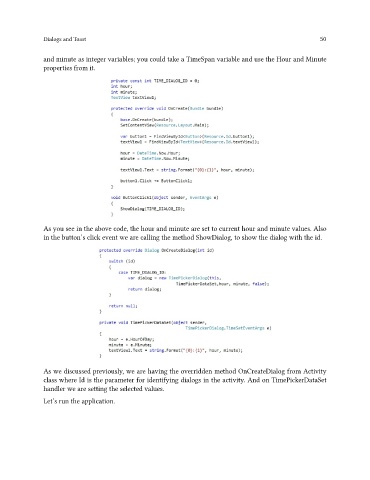
               and minute as integer variables; you could take a TimeSpan variable and use the Hour and Minute
               properties from it.


               As you see in the above code, the hour and minute are set to current hour and minute values. Also
               in the button’s click event we are calling the method ShowDialog, to show the dialog with the id.


               As we discussed previously, we are having the overridden method OnCreateDialog from Activity
               class where Id is the parameter for identifying dialogs in the activity. And on TimePickerDataSet
               handler we are setting the selected values.

               Let’s run the application.

