


Page 7 - Xamarin Android Application Development
P. 7
Layout                                                                                       3


                   2. Wrap Content – Wraps with the maximum allowed (Parent’s) width or height
                   3. Match Parent – Same as Fill Parent but added with different OS version
                   4. Unit Values
                   5. DP – Density independent Pixels, based on physical density of the screen.
                   6. SP – Scale independent Pixels, scaled by user’s font size. Recommended to use with fonts.
                   7. DPI – Same as DP
                   8. PX – Pixels, corresponds to actual pixels on the screen.
                   9. IN – Inches, based on the physical size of the screen.
                 10. MM – Millimetres, based on the physical size of the screen.
                 11. PT – Points, 1/72 of the inch based on the physical size of the screen.


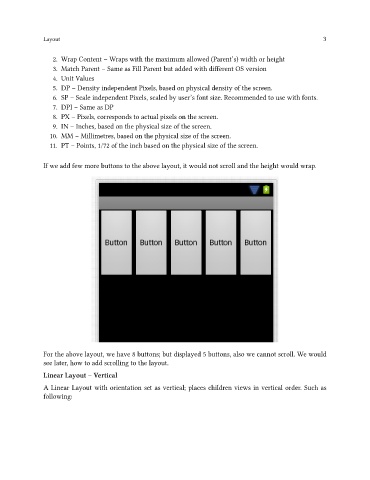
               If we add few more buttons to the above layout, it would not scroll and the height would wrap.


               For the above layout, we have 8 buttons; but displayed 5 buttons, also we cannot scroll. We would
               see later, how to add scrolling to the layout.
               Linear Layout – Vertical

               A Linear Layout with orientation set as vertical; places children views in vertical order. Such as
               following:

